
gf-lt (grail finder's llm tui)
terminal user interface for large language models. made with use of tview
has/supports
- character card spec (load existing cards and create new ones from the TUI);
- API (/chat and /completion): llama.cpp, deepseek, openrouter, opencode go;
- tts/stt (run make commands to get deps);
- image input;
- function calls (function calls are implemented natively, to avoid calling outside sources);
- character specific context (unique feature)
showcase on youtube
feature map
 interactive/regeneratable source + notes · toolset issues & improvement wishes
how it looks

dependencies
- make
- go
- ffmpeg (extra)
how to install
(requires golang) clone the project
git clone https://github.com/GrailFinder/gf-lt.git
cd gf-lt
make
to run without tts/stt dependencies use
make noextra-run
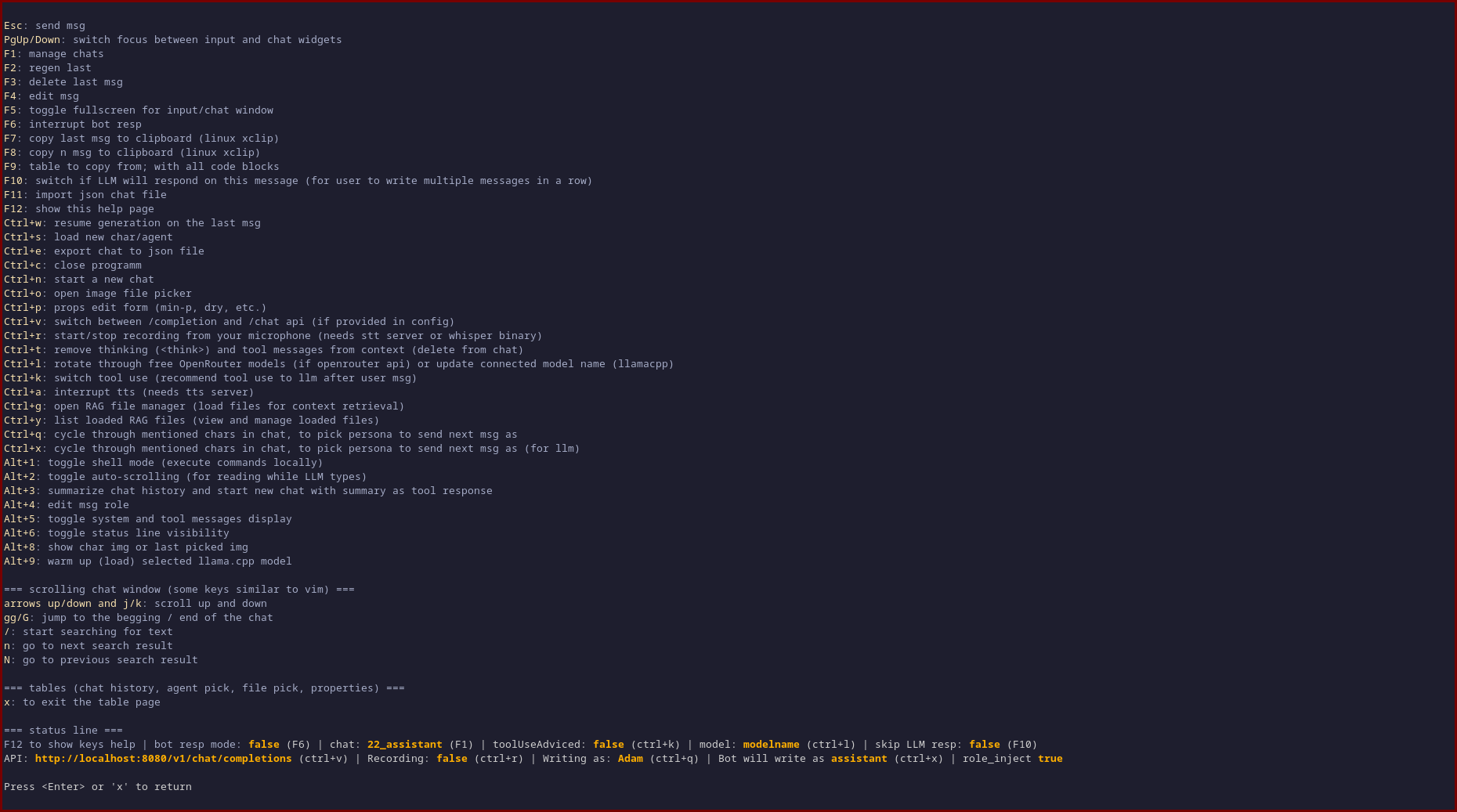
keybinds
- use
insertbutton to paste text from the clipboard to the text area, instead of shift+insert (might freeze the program); - press f12 for list of keys;

setting up config
cp config.example.toml config.toml
set values as you need them to be; description of config variables
setting up STT/TTS services
STT and TTS are separate HTTP servers, configured in config.toml; gf-lt is just an
HTTP client for them. See docs/audio.md for the full layout.
- TTS — any OpenAI-compatible
/v1/audio/speechserver. Define selectable models as[[TTS_PRESETS]]inconfig.toml, pick the startup one withTTS_DEFAULT, and switch at runtime from the props table (Ctrl+P →TTS model).TTS_URLis global; each preset carries its own model/voice. Forwavoutput, anaudio.cppaudiocpp_server works and the checked-inserver.example.json(copied to the gitignoredserver.jsonbymake start-tts) serves OmniVoice + PocketTTS on:8081. - STT —
Ctrl+Rstarts/stops the mic and drops transcripts into the input (send withEsc).F11toggles live conversation mode, which sends finalized speech automatically and lets you barge in over the bot. SetSTT_URLto any server exposingPOST /v1/audio/transcriptions; CrispASR in--servermode is one such server. Themodelfield is ignored by such servers, soASR_MODELonly matters for backends that validate it.
The Makefile starts/stops both local servers for you:
make audio-start     # start ASR (:8085) + TTS (:8081)
make audio-status    # what is listening
make audio-stop      # stop both